Skip to the slides
Casebook

UX & product case study kit

Show the thinking, not just the screens.

A 13-slide case study deck that walks a reviewer from problem to process to result, with speaker notes on every slide telling you what to write.

PowerPoint · Google Slides · Keynote · Canva import · Notion outline

Illustration of a designer's desk with sticky notes, sketches and a phone prototype

Problem

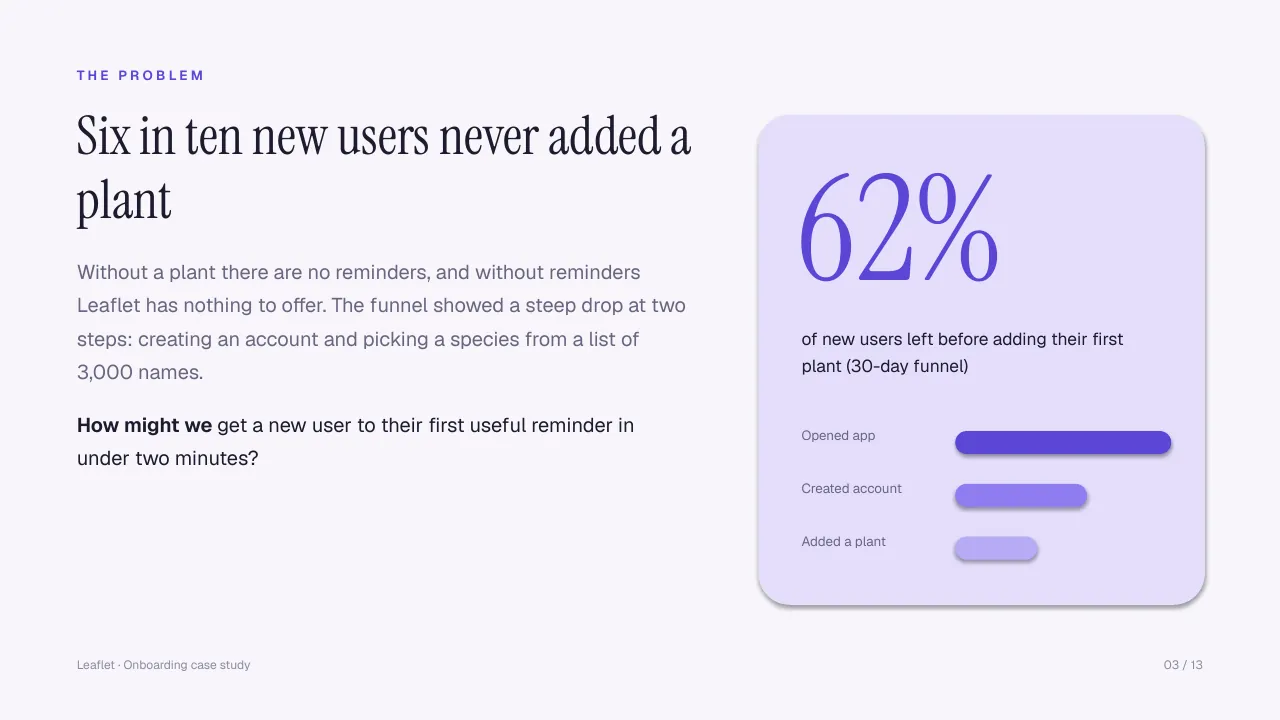
62% left

Process

2 test rounds

Result

38% → 64%

Sample numbers from the fictional Leaflet case study in the deck.

ProblemResearchInsightsJourney mapExplorationDesignTestingResultsReflection

The structure

A story reviewers can skim in a minute.

Hiring managers skim. Casebook follows the order they expect, so each slide answers the next question before they ask it.

Slides 01–0401

Problem

Cover, overview, the problem in one number, and the goals and constraints that shaped the work.

Slides 05–1002

Process

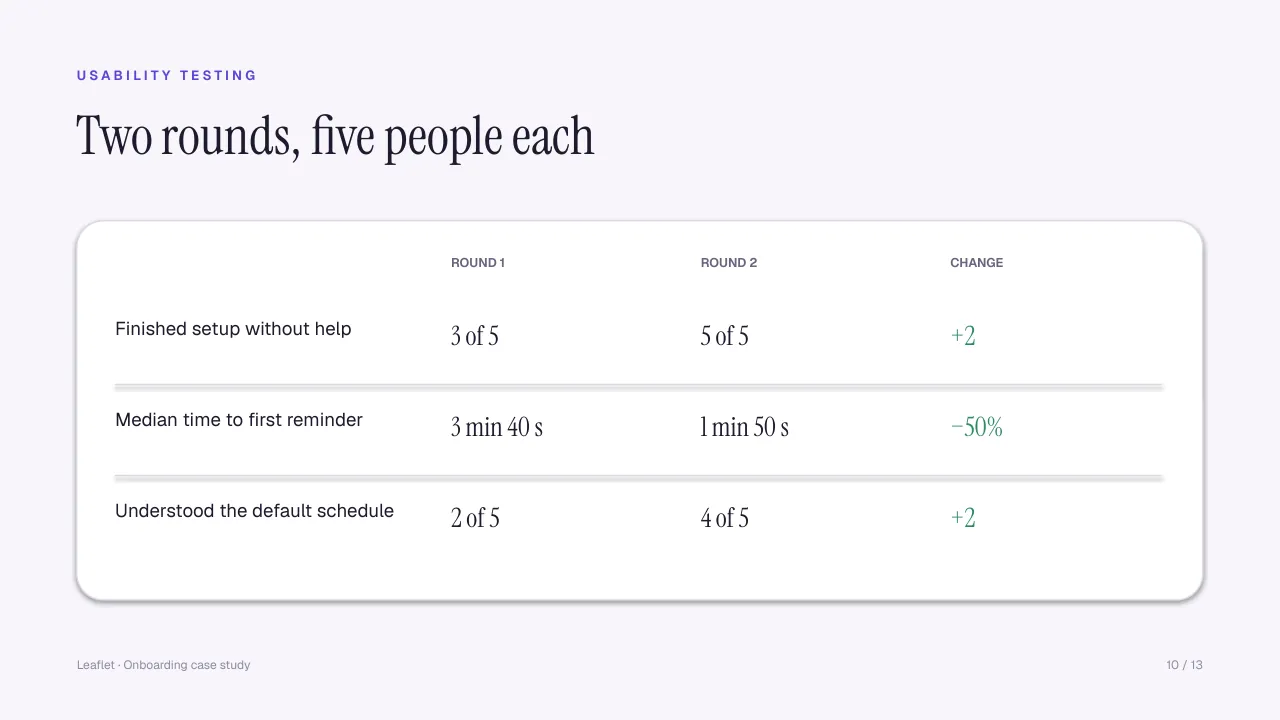
Research, insights, a journey map, explored options, the final design and two rounds of testing.

Slides 11–1303

Result

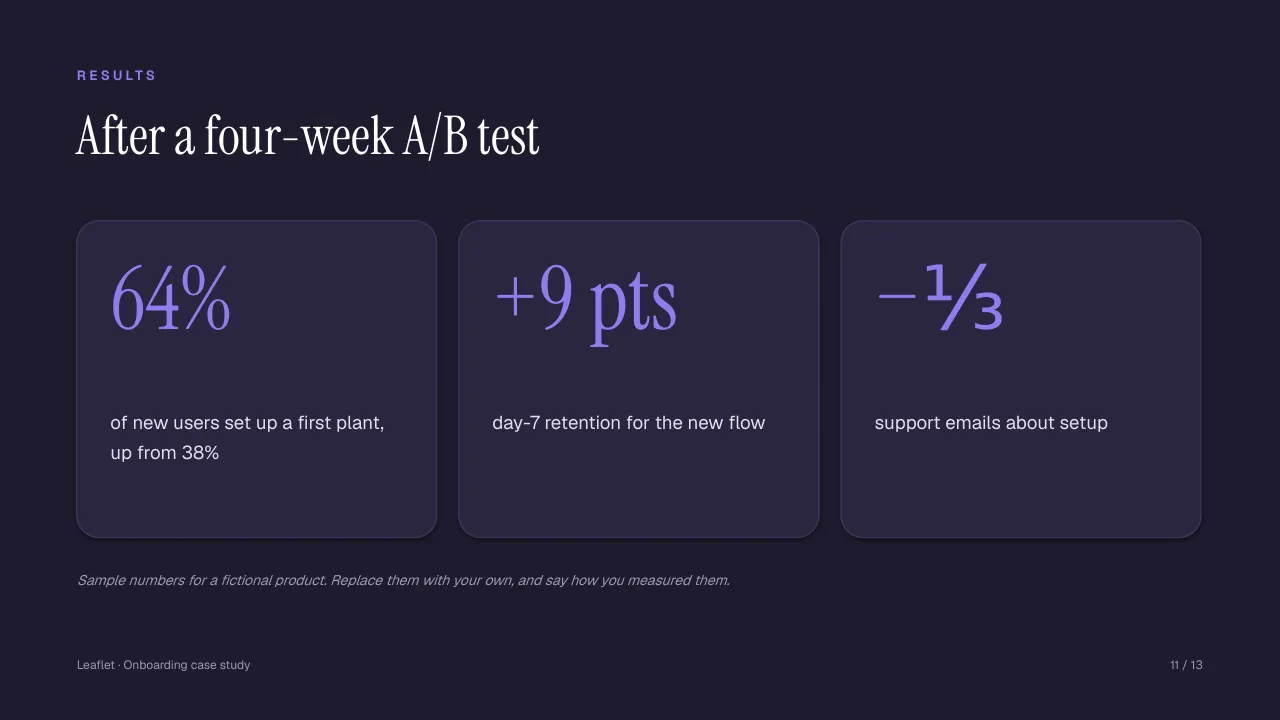
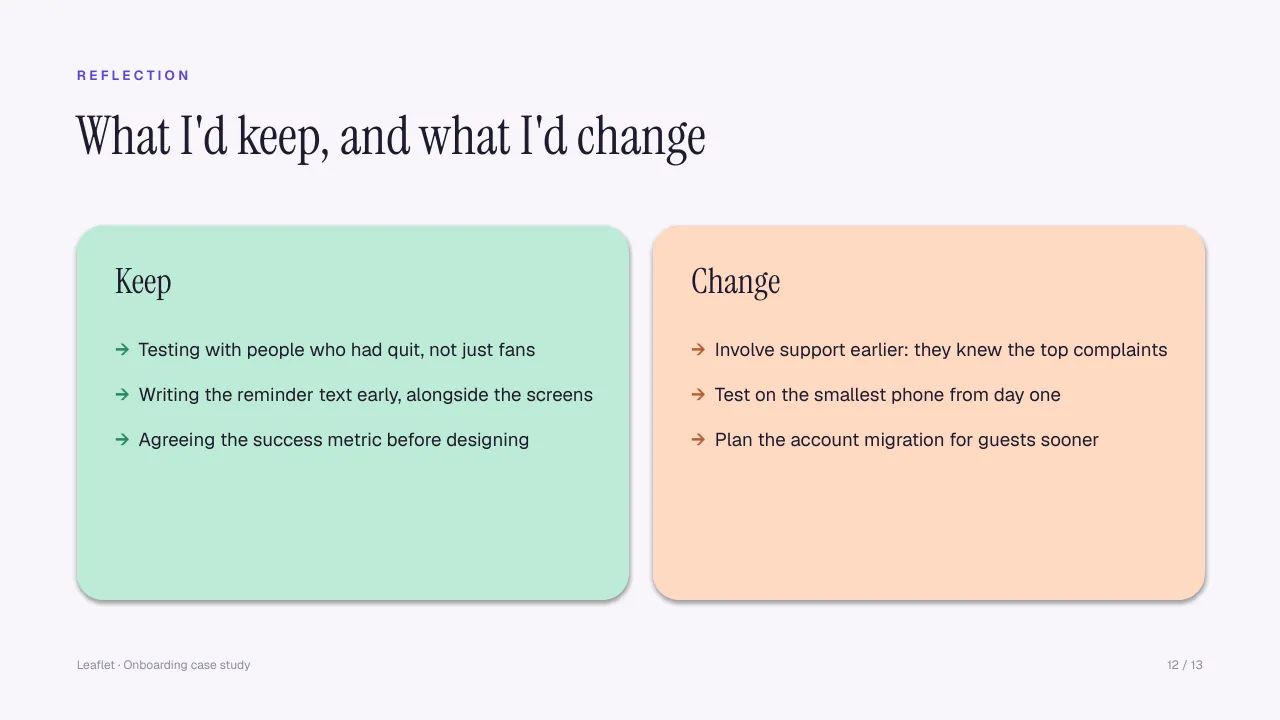
Results with baselines, an honest reflection, and a contact slide that makes the next step easy.
Every slide

13 slides, all editable.

Use the arrows, your keyboard or the thumbnails. Every shape and text box is native, so you can restyle anything.

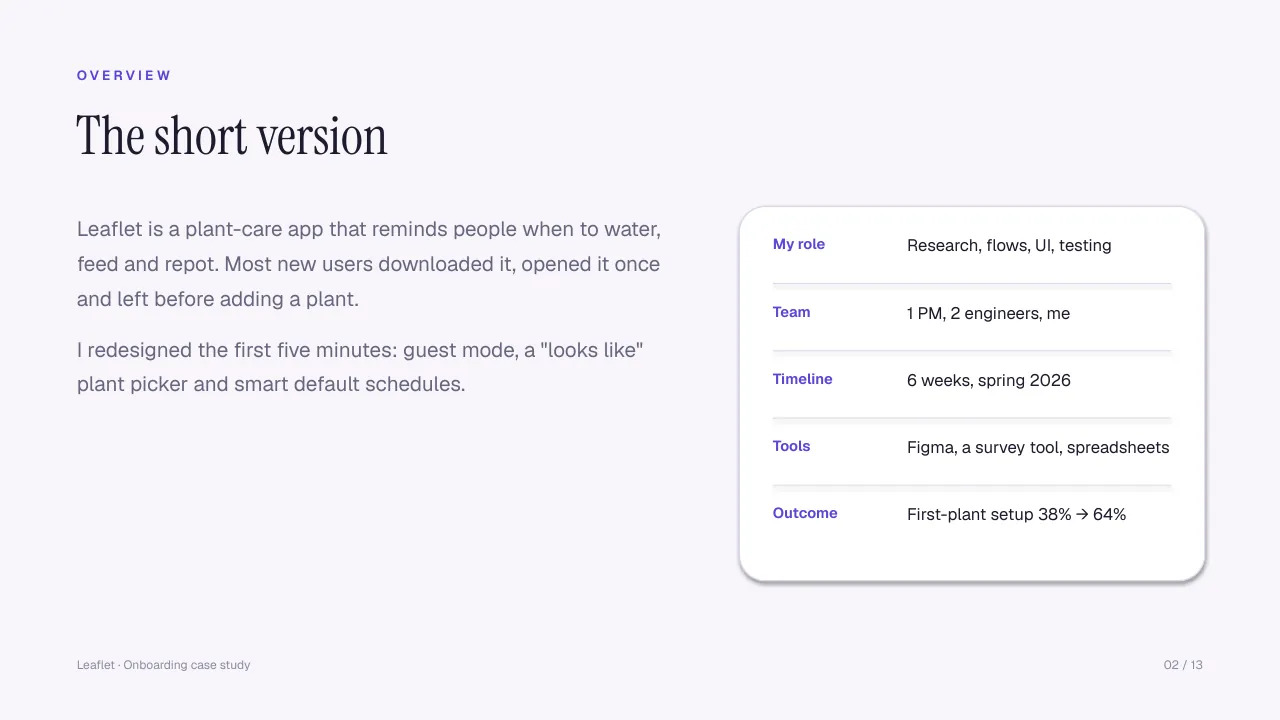
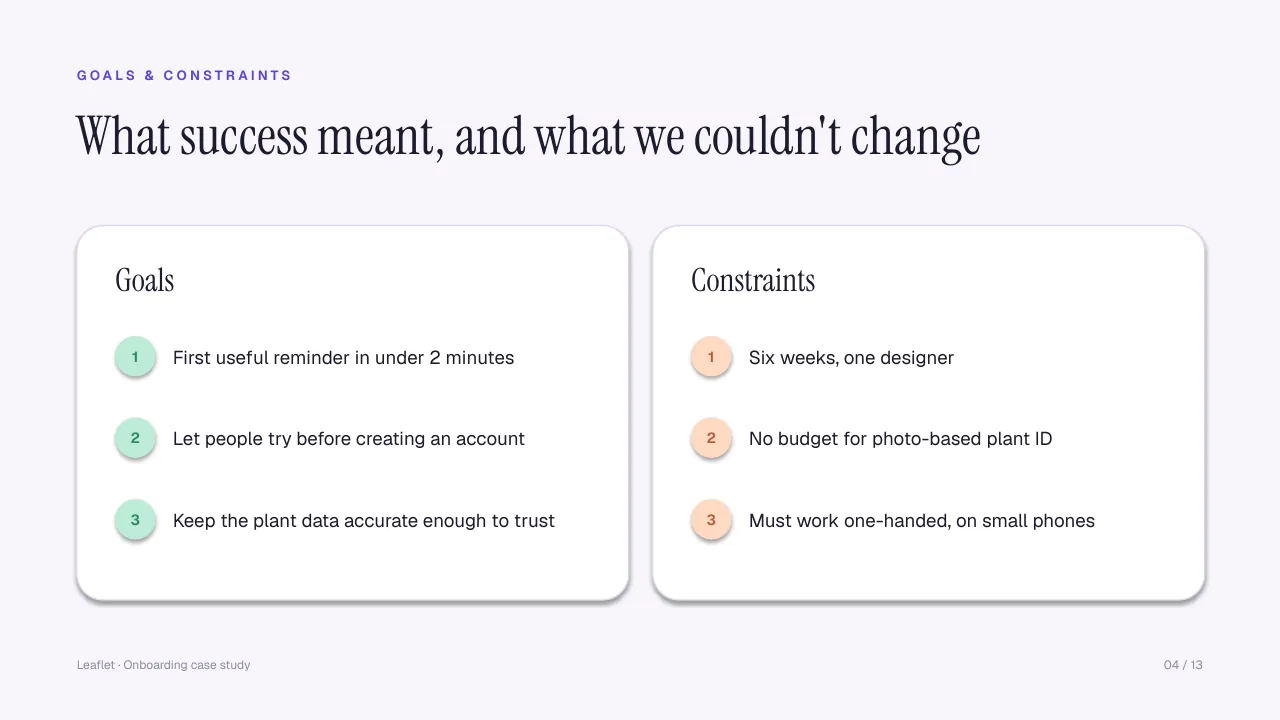
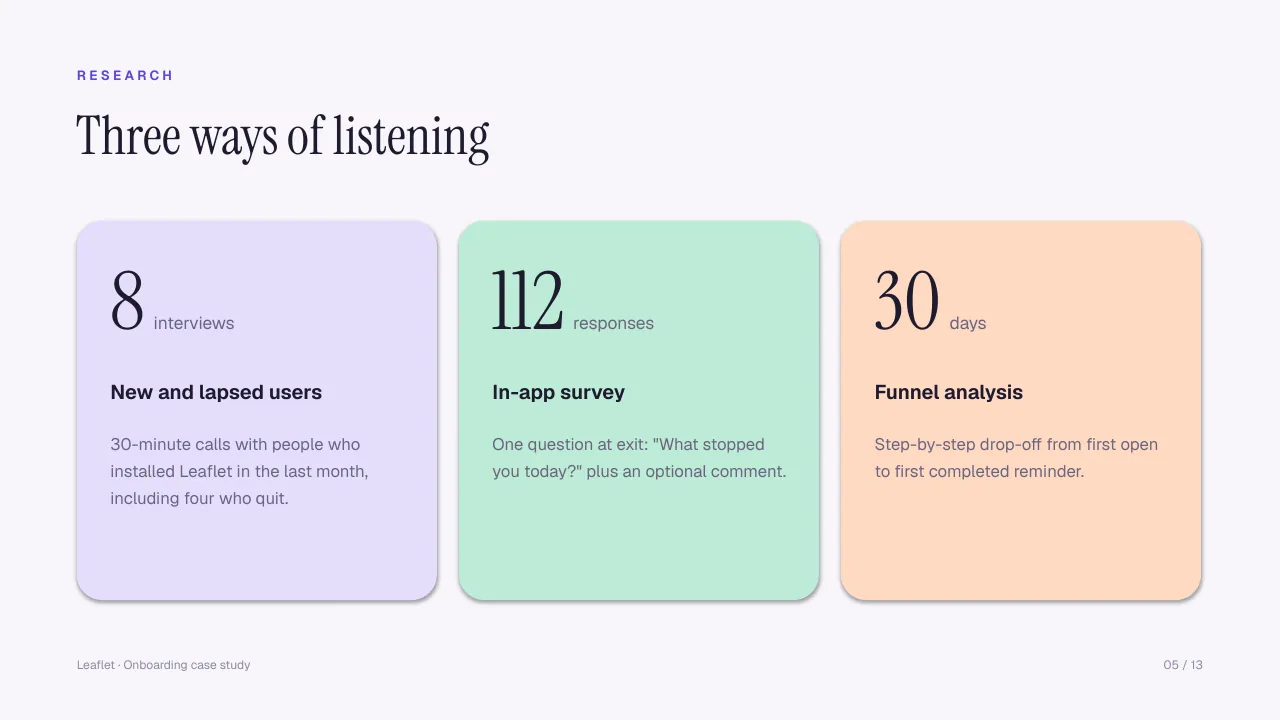
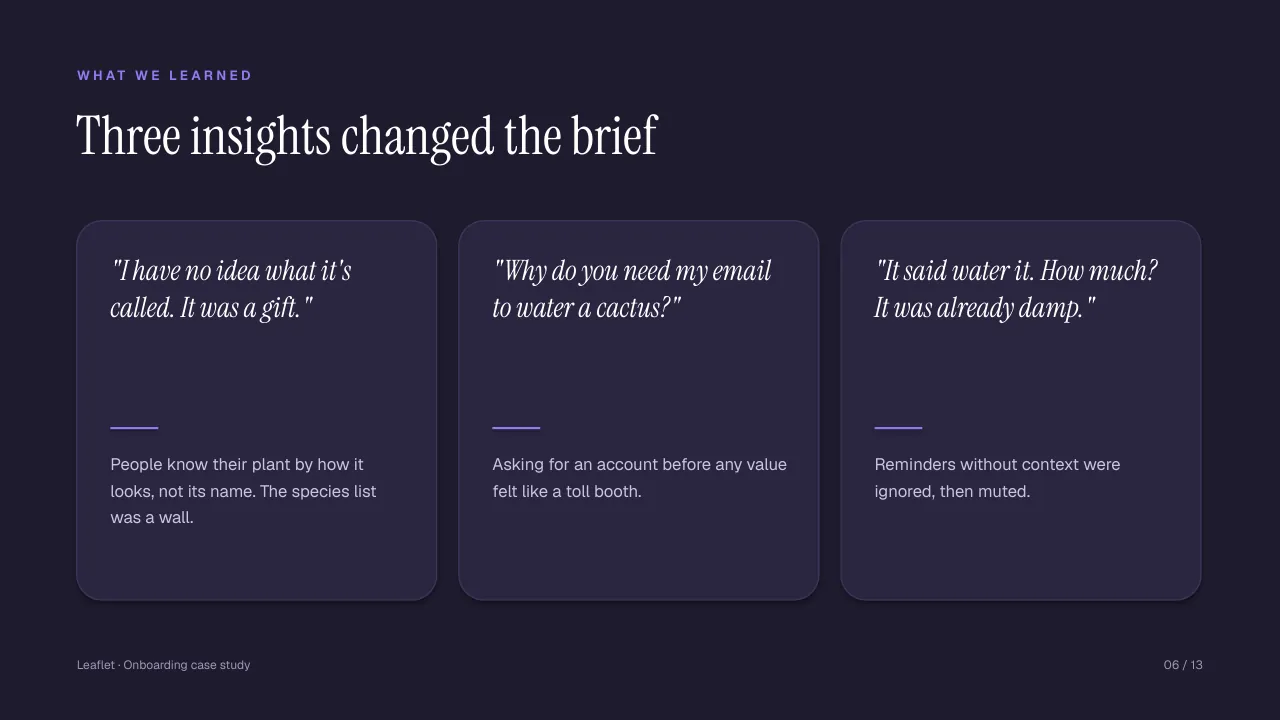
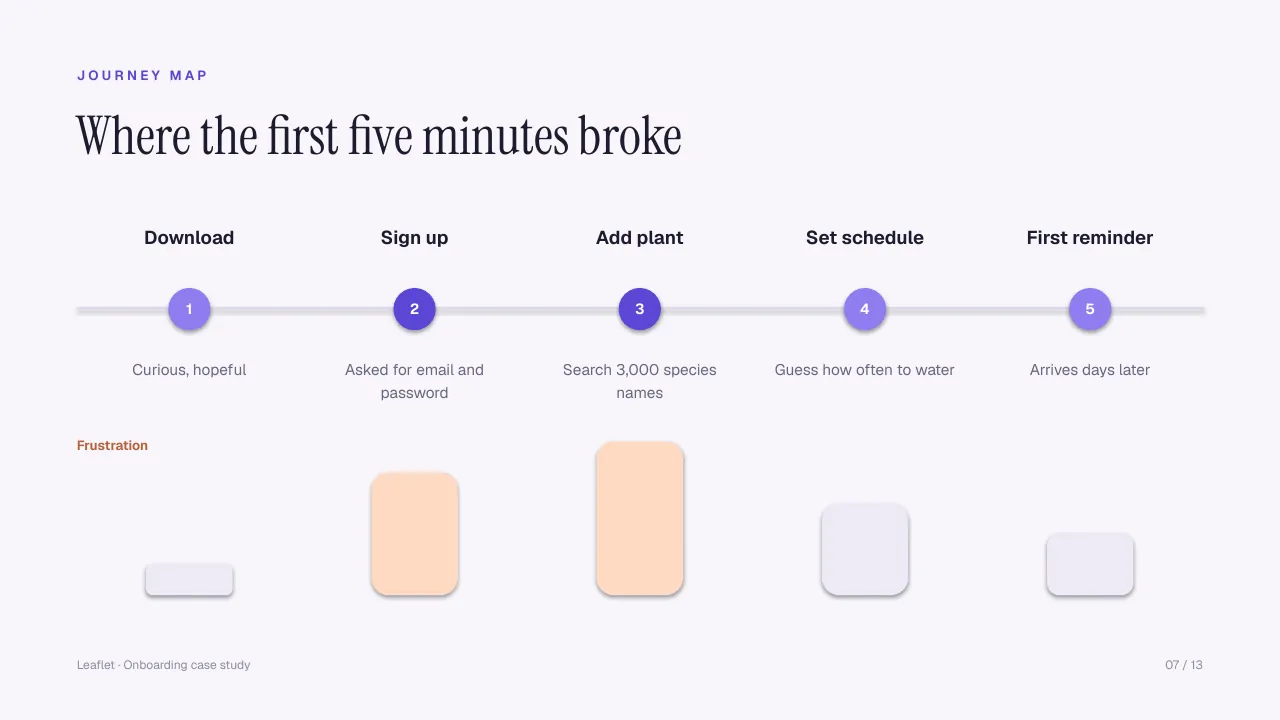
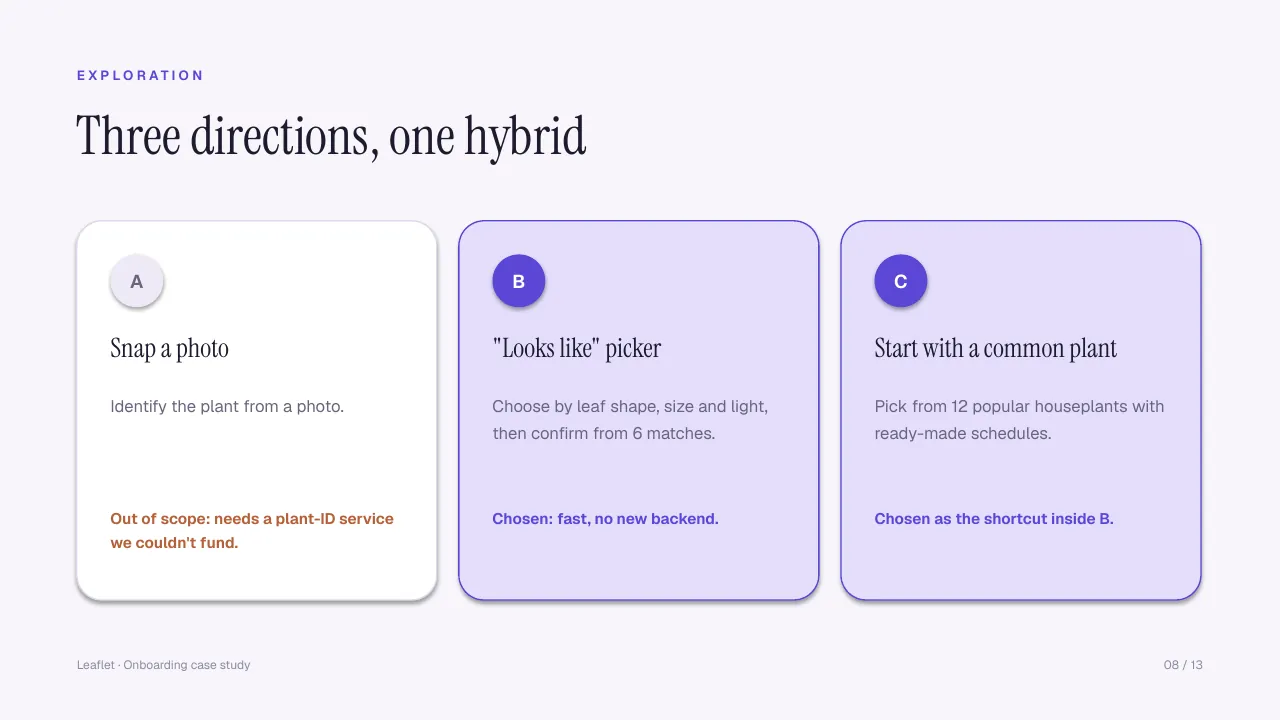
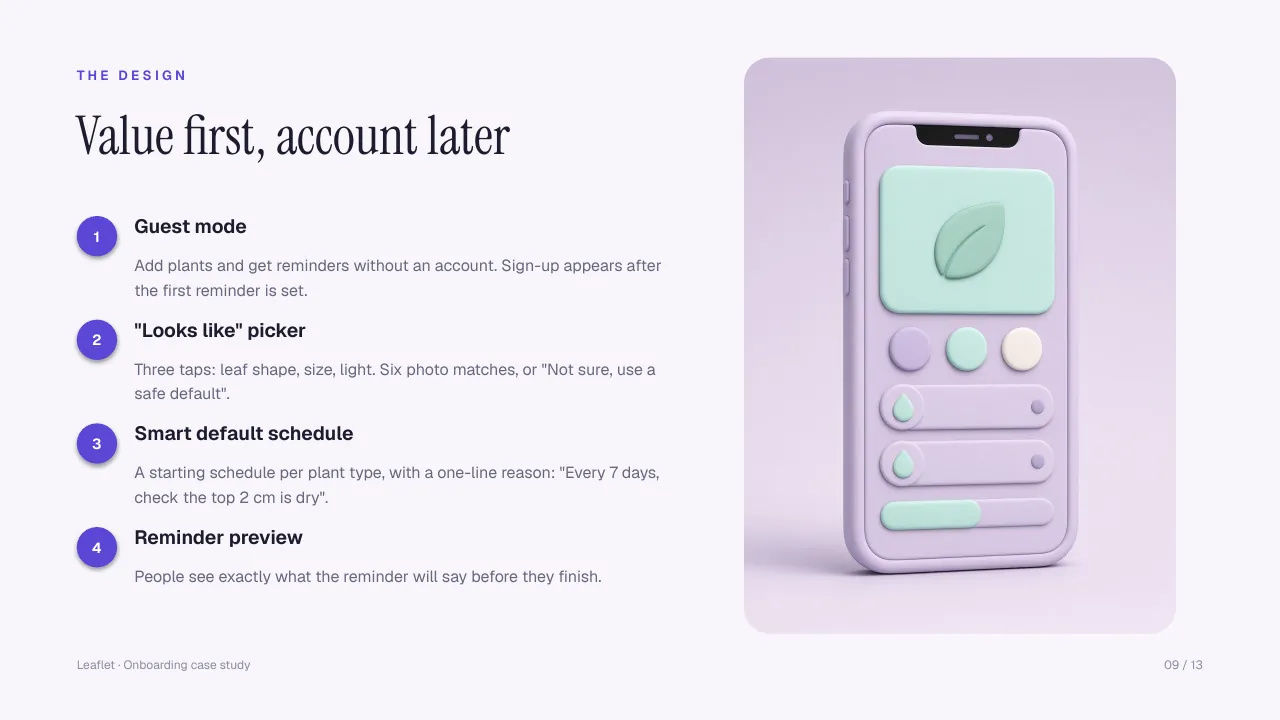
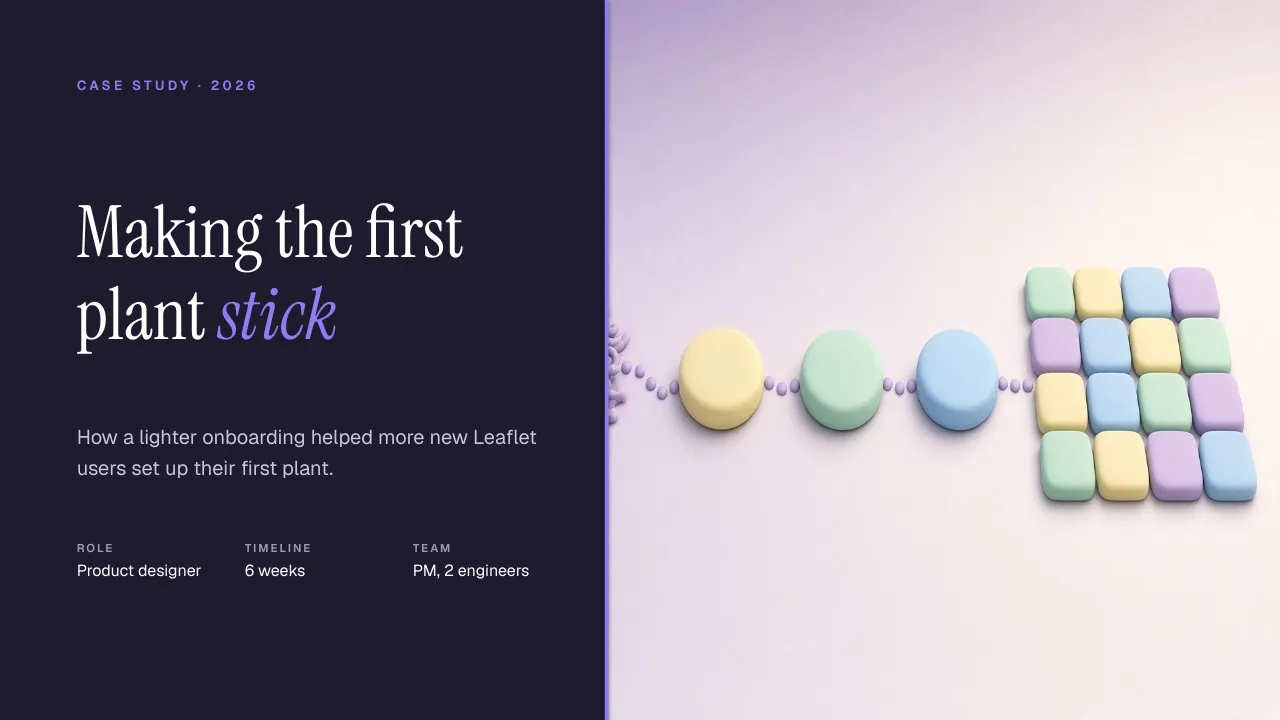
Slide 1: Cover: your outcome as the title, with role, timeline and teamSlide 2: Overview: the whole story in under 60 wordsSlide 3: Problem: one number, one sentence, one "How might we"Slide 4: Goals and constraints, three eachSlide 5: Research: methods, sample size and who you talked toSlide 6: Insights: a quote and what it means for the designSlide 7: Journey map with the two worst moments highlightedSlide 8: Exploration: options you tried and why you dropped themSlide 9: Design: one strong screen with numbered calloutsSlide 10: Testing: the same tasks across roundsSlide 11: Results: up to three numbers, each with a baselineSlide 12: Reflection: honest lessons and next stepsSlide 13: Contact: name, role and one way to reach you

1 / 13 Cover: your outcome as the title, with role, timeline and team

From the writing guide

Weak line, stronger line.

The guide and the speaker notes show what each slide needs. Four examples:

Before

Redesigned the onboarding for a plant app.

After

Got new users to their first plant reminder in under two minutes, and first-plant setup rose from 38% to 64%.

Lead with the outcome and who it helped. The activity ("redesigned") is the least interesting part.

Before

Users found onboarding confusing.

After

62% of new users left before adding a plant. Most dropped at account creation or while searching 3,000 species names.

One number plus where it happens gives the reader a reason to keep going.

Before

We went with a plant picker.

After

We dropped photo identification: it needed a plant-ID service we couldn't fund. A "looks like" picker got people there with no new backend.

Reviewers look for trade-offs. Say what you gave up and why.

Before

The new flow was a big success.

After

First-plant setup rose from 38% to 64% in a four-week A/B test.

Always give a baseline. No numbers? Describe what you saw in testing and what shipped.

What's inside

Works where you build your portfolio.

PowerPoint

.pptx, 13 slides, 16:9, native shapes and text, speaker notes on every slide.

Google Slides

Upload the .pptx to Drive and open it with Google Slides. Install the two free fonts or pick them in Slides.

Keynote

Open the .pptx directly in Keynote. Install the fonts first so nothing swaps.

Canva

Import the .pptx into Canva. Canva converts the file, so check spacing and fonts after import.

Notion

A markdown outline of every section with prompts, ready to paste into a Notion page.

PDF guide

A writing guide (Word and PDF, A4 and US Letter) with a slide-by-slide checklist.

There is no Figma file. If you design case studies in Figma, the PDF guide and the Notion outline give you the structure to rebuild it there.

  • Speaker notes on all 13 slides telling you what to write
  • Instrument Serif and Geist, free fonts included with licenses
  • A worked fictional example, so you see a finished case study
  • README with import steps for each app

Pay what you want

From €1

Suggested €5. Same files either way.

Get Casebook

Questions

What do I get exactly?

An editable 13-slide case study deck (.pptx) with speaker notes, a PDF copy of the deck, a writing guide as Word and PDF (A4 and US Letter), a Notion-ready markdown outline, the two fonts with their licenses, and a README. You download the files right after checkout.

Is there a Figma file?

No. Casebook is a slide deck, not a Figma file. If you lay out case studies in Figma, use the PDF guide and the Notion outline as your structure, and copy the slide layouts by eye.

Does it work in Google Slides, Keynote and Canva?

Yes, all three can open or import a .pptx. Google Slides and Keynote keep the layout well once the fonts are installed. Canva converts the file on import, so expect to nudge some spacing.

Are the numbers and quotes real?

No. Leaflet, Avery Kim and every number, quote and screen in the deck are fictional sample content, and the results slide says so. Replace them with your own work and never invent quotes in a real case study.

Which fonts does it use?

Instrument Serif and Geist. Both are free under the SIL Open Font License and are included in the download with install notes.

Why is the minimum €1?

It is pay what you want with a €1 minimum and €5 suggested. You get the same files whatever you pay.

Can I use it for client work?

Yes. Make as many case studies and presentations as you like for yourself or for clients. Just don't resell or share the template itself. The LICENSE file has the details.